How Itinerak Route Cards Look on Your WordPress Website

ROUTE EXPERIENCE

How Itinerak Route Cards Look on Your WordPress Website

Itinerak turns generated travel plans into structured route pages that can be displayed directly on your WordPress website. Each route has its own dedicated page, clear destination information, a structured itinerary, and an easy-to-follow visual flow for your visitors.

This is what your visitors see when they open an Itinerak route.

01 · ROUTE URL

Every Route Has Its Own Dedicated URL

Each Itinerak route is published on its own clean, structured URL. The destination, trip duration, and travel style are reflected in the route address, making each itinerary easy to access, share, and understand.

Example itinerak.com/routes/germany/berlin/24-hours/classic/

This gives every generated itinerary its own identifiable page instead of presenting all routes inside a single generic URL.

02 · ROUTE HEADER

A Clear Introduction to Every Route

When visitors open an Itinerak route, they immediately see a clear route title followed by a short description of the experience. This gives them instant context about the destination and the type of journey they are about to explore.

Best 24 Hours in Berlin

Discover the best highlights, attractions, local experiences and authentic atmosphere of Berlin.

03 · DAY NAVIGATION

Every Route Adapts to Its Trip Duration

Itinerak organizes the route according to the selected trip duration. Whether a visitor chooses 24, 48, or 72 hours, the route presents only the days that belong to that itinerary, keeping the experience clear and easy to follow.

24 HOURS

One Day, One Focused Route

A 24-hour itinerary displays a single Day 1 section. Visitors see one continuous route containing the activities planned for their day, without unnecessary day navigation.

Day 1
48 HOURS

Two Days, Clearly Separated

A 48-hour itinerary is divided into Day 1 and Day 2. Visitors can switch between the two days, while the selected day is highlighted in Itinerak’s brand color and its corresponding route cards are displayed.

Day 1
Day 2
72 HOURS

Three Days, One Connected Itinerary

A 72-hour itinerary presents Day 1, Day 2, and Day 3 inside the same route. Visitors can move between all three days, with the active day highlighted while its itinerary is shown below.

Day 1
Day 2
Day 3

The day selector changes automatically according to the selected route duration, keeping one-day and multi-day itineraries consistent while giving each day its own route flow.

04 · LANDMARK CARD

Every Landmark Gets Its Own Route Card

Each landmark in the itinerary is presented in its own structured card. The card gives visitors the key information they need to understand the stop before they arrive and see how it fits into the route.

A series of beautifully restored, interconnected historic courtyards (Höfe) housing boutiques, galleries, and cafes.

📍 Hackescher Markt & Höfe

⏰ 08:50 ⌛ 60 min 💰 €0

The Hackesche Höfe are a landmark of Art Nouveau architecture in Berlin, offering a unique urban exploration experience.

💡 Explore the courtyards individually; each features different styles, art, and hidden artisan workshops.
📍 Mitte 🕒 60 min 👥 7/10
Landmark Name The name of the attraction is the main visual element of the card.
Start Time The planned arrival or start time shows where the stop fits into the day’s timeline.
Approximate Stay The card indicates the approximate amount of time planned for the visit.
Approximate Cost When available, visitors can see the approximate cost associated with the stop.
Description A short description explains what the place is and why it belongs in the itinerary.
Local Insight A concise tip adds useful context or a suggestion for experiencing the landmark.
Location The relevant area or neighborhood is shown at the bottom of the card.
Crowd Level A crowd indicator gives visitors a quick idea of how busy the landmark is expected to be.

This structure keeps the essential landmark information together while allowing each stop to remain visually consistent throughout the route.

05 · FOOD CARD

Food Stops Have Their Own Card Style

Cafés and restaurants are presented as part of the route while keeping their own context. Instead of looking like ordinary landmarks, food stops are clearly identified as places to eat within the itinerary.

☕ Café Einstein Stammhaus
⏰ 08:00 ⌛ 60 min

An exquisite 19th-century grand Viennese-style café housed in a majestic villa, serving classic cakes and coffee.

💡 Order a traditional Wiener Schnitzel or a slice of homemade apple strudel in the elegant garden.
📍 Tiergarten
Food Venue The café or restaurant is clearly identified as a food stop within the route.
Time & Stay Visitors can see when the stop is planned and the approximate time allocated to it.
Description A short description introduces the venue and its role in the route.
Local Suggestion A contextual suggestion can highlight something worth trying at the venue.
Location The relevant neighborhood or area is shown as part of the route context.

Food stops remain part of the same itinerary flow while being visually recognizable as cafés and restaurants.

06 · THE EXPERIENCE

Your Website, Your Visitor Experience

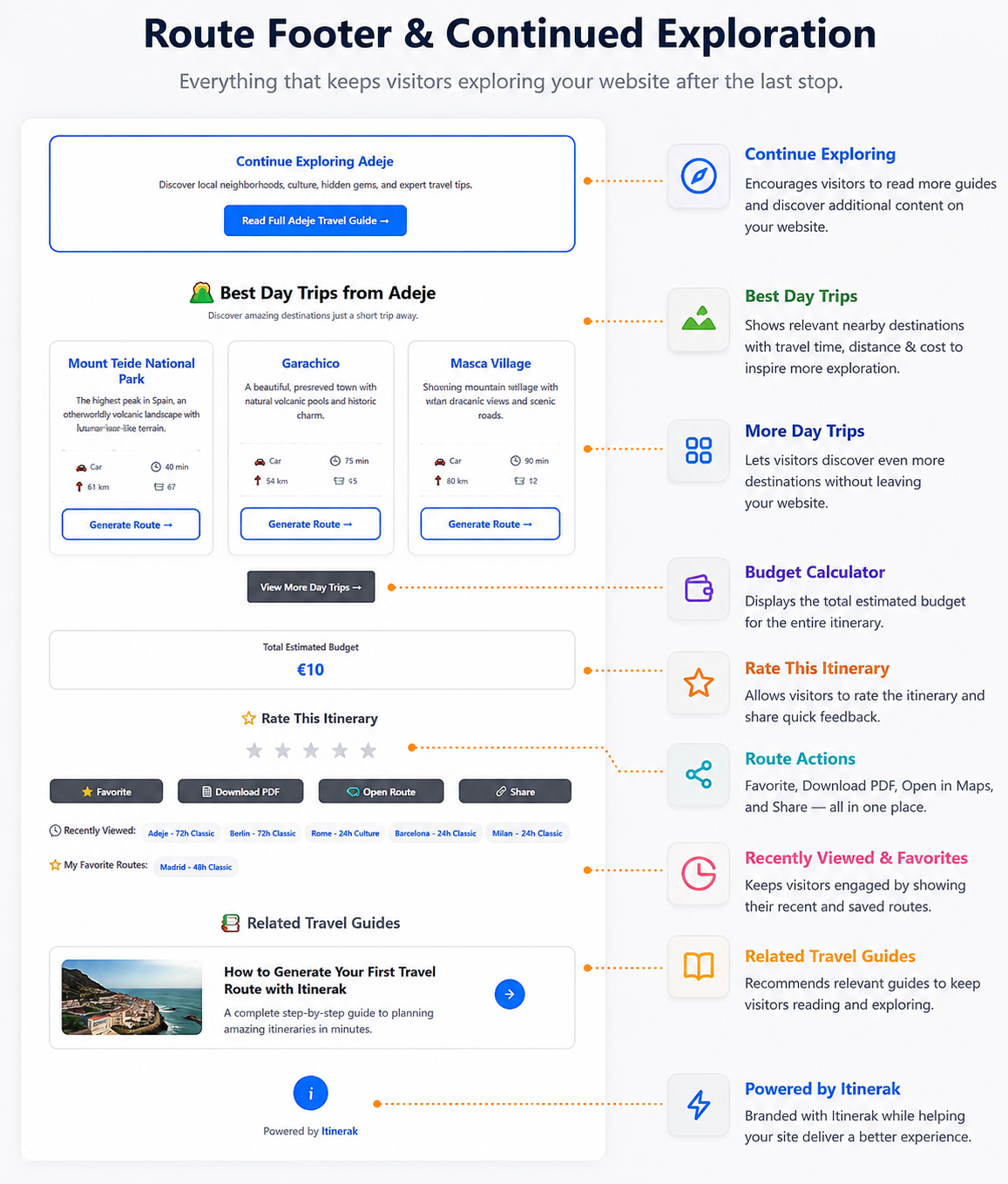
Itinerak routes are designed to feel like a natural part of your WordPress website, not a separate travel service. Visitors can open a route, move through their selected days, explore each stop, and continue discovering more content from your site when the itinerary ends.

Open the Route Explore the Itinerary Discover More

Give Your Visitors More to Explore

Add interactive travel routes to your WordPress website with Itinerak.

Get Itinerak →

Leave a Comment